APE SOLARReady for Anything
Log InGet EstimateBuild
Shop/Accessories

Accessories

The parts that round out a build. Combiners and gateways, energy monitors, junction boxes, and the compliance bits an install needs.

Availability
12 items
2023 NEC Sticker Pack

2023 NEC Sticker Pack

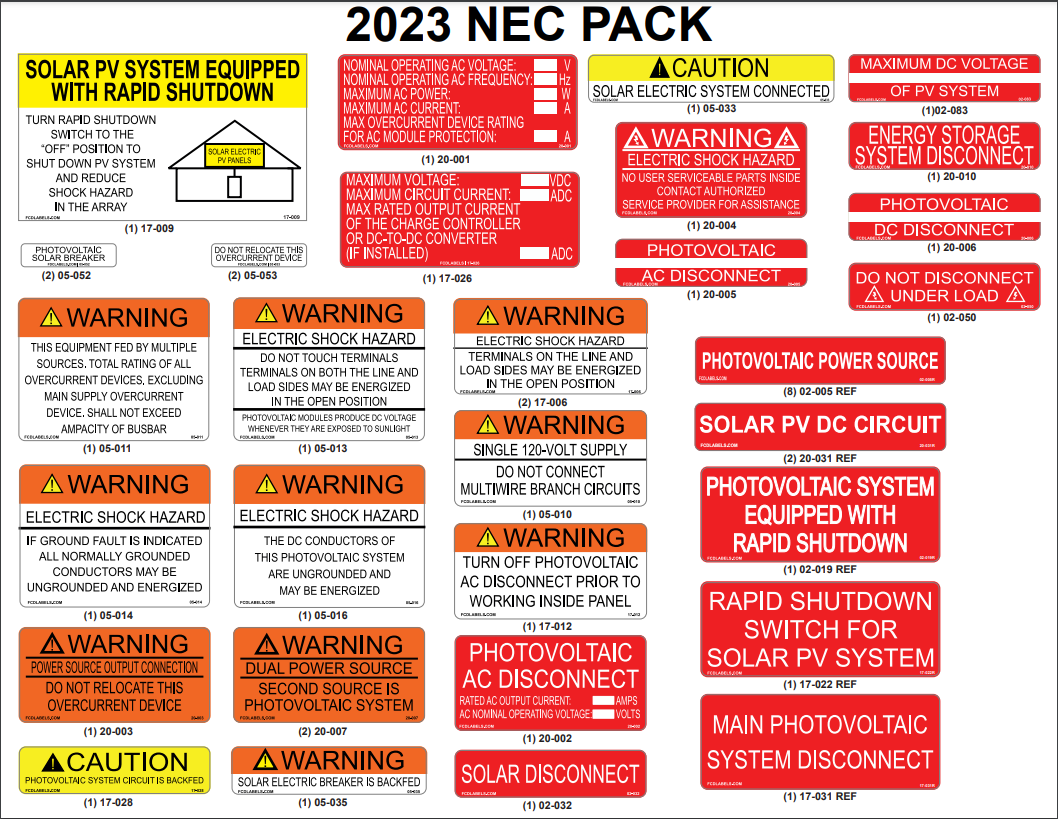
This sticker pack covers the labels and placards a solar install needs to pass inspection under the 2023 NEC. It includes the rapid shutdown placards, disconnect and inverter markings, conduit labels, and the power source directory, all printed on durable weather-rated stock that meets the code’s permanence rules. One pack handles the common warning and identification points on a typical residential system.
Emporia Vue 3 Home Energy Monitor 16 Sensors
Signature Solar

Emporia Vue 3 Home Energy Monitor 16 Sensors

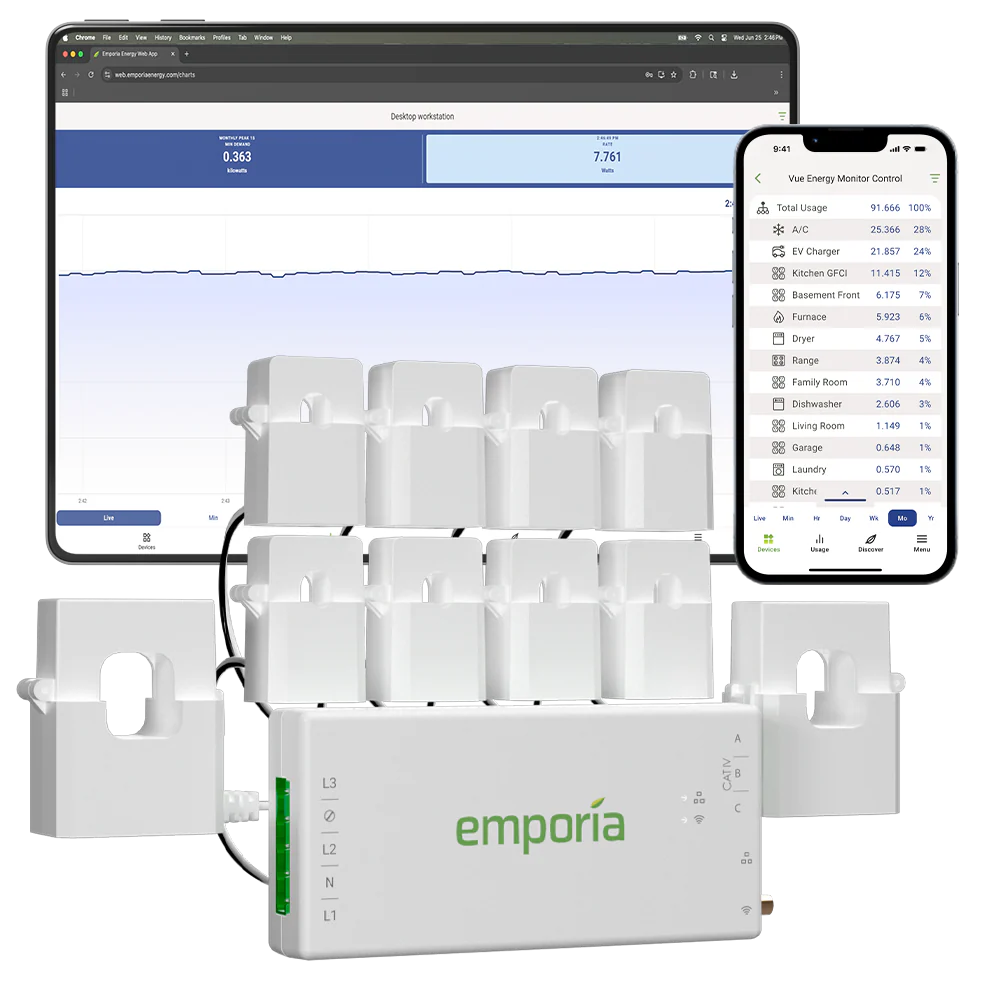
The Emporia Vue 3 wires into your electrical panel and shows where your power is actually going, from the whole-home total down to 16 individual circuits. It reads within about 2% of the utility meter and updates in near real time in the app, and it tracks solar production and net metering too. A simple way to see usage, spot waste, and watch a solar system without an expensive sub-meter.

EZ Solar Rooftop PV J-Box (Asphalt Shingle)
EZ Solar

EZ Solar Rooftop PV J-Box (Asphalt Shingle)

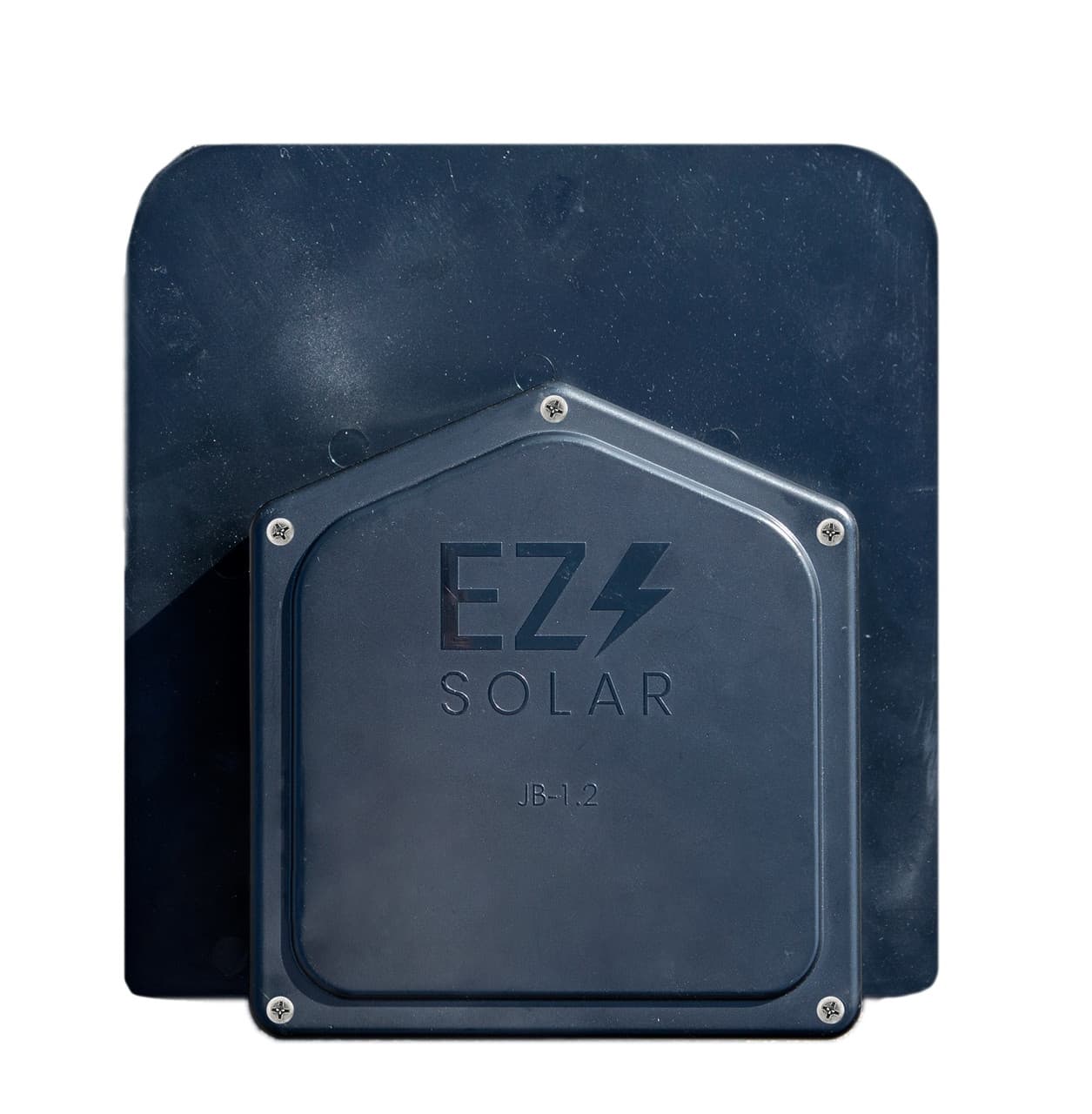
The EZ Solar JB-1.2 is a flashed polycarbonate junction box that combines the roof penetration and the wiring transition into one weather-tight unit on asphalt shingle roofs. It is rated to 1000 V and 80 A, takes 14 to 6 AWG conductors, and fits standard shingle slopes from 2.5:12 up to 12:12. UL 1741 listed and built to Type 3R for outdoor rooftop use.

PowerBox

PowerBox

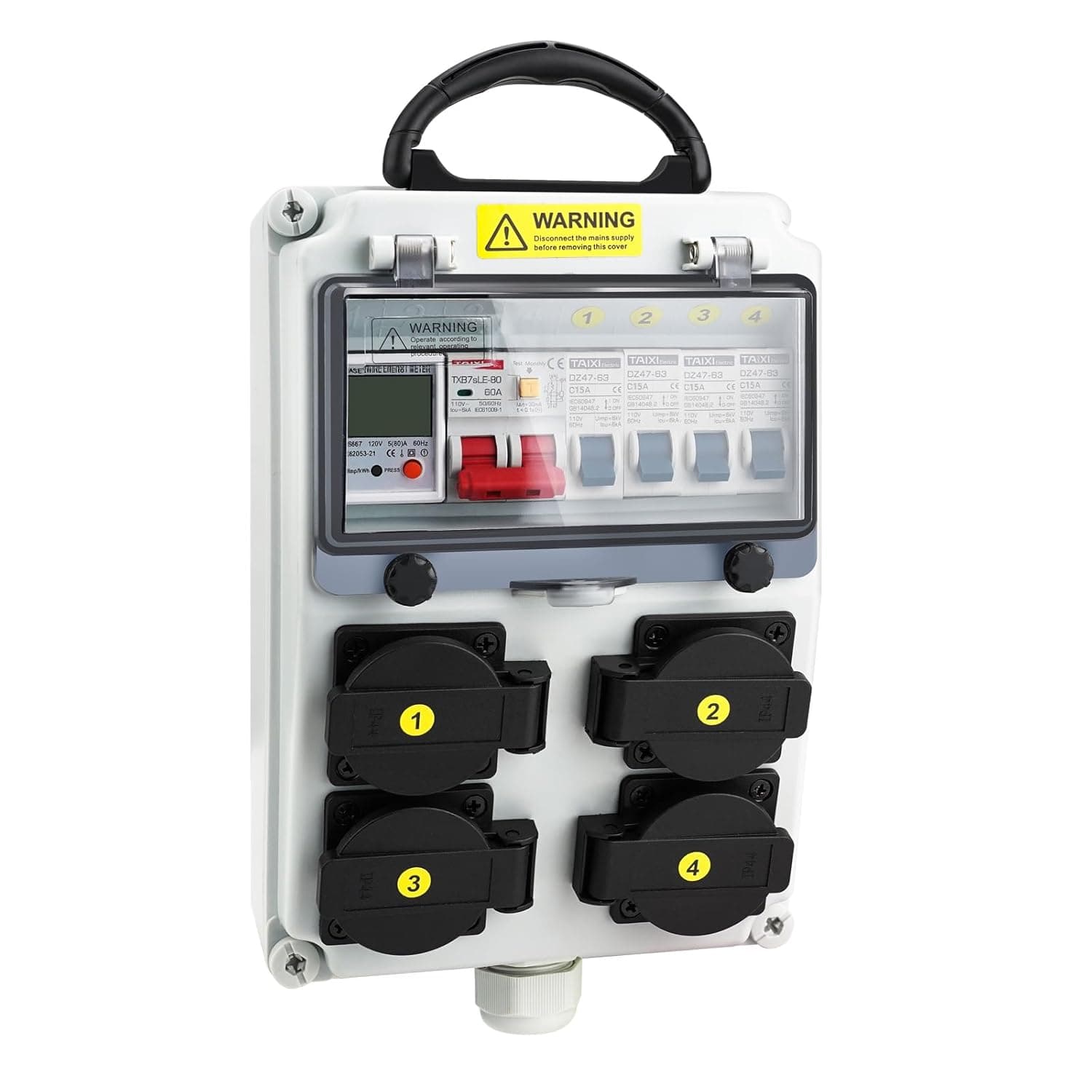
A brand-new portable power distribution box. One feed in, four weatherproof NEMA 5-20 outlets out, each on its own 15A breaker, behind a 30mA GFCI-type main, with a built-in kWh meter. 120V, IP54, for job sites, shops, campsites, and off-grid power off an inverter or generator.

Only 3 leftSolaDeck 0999-5B

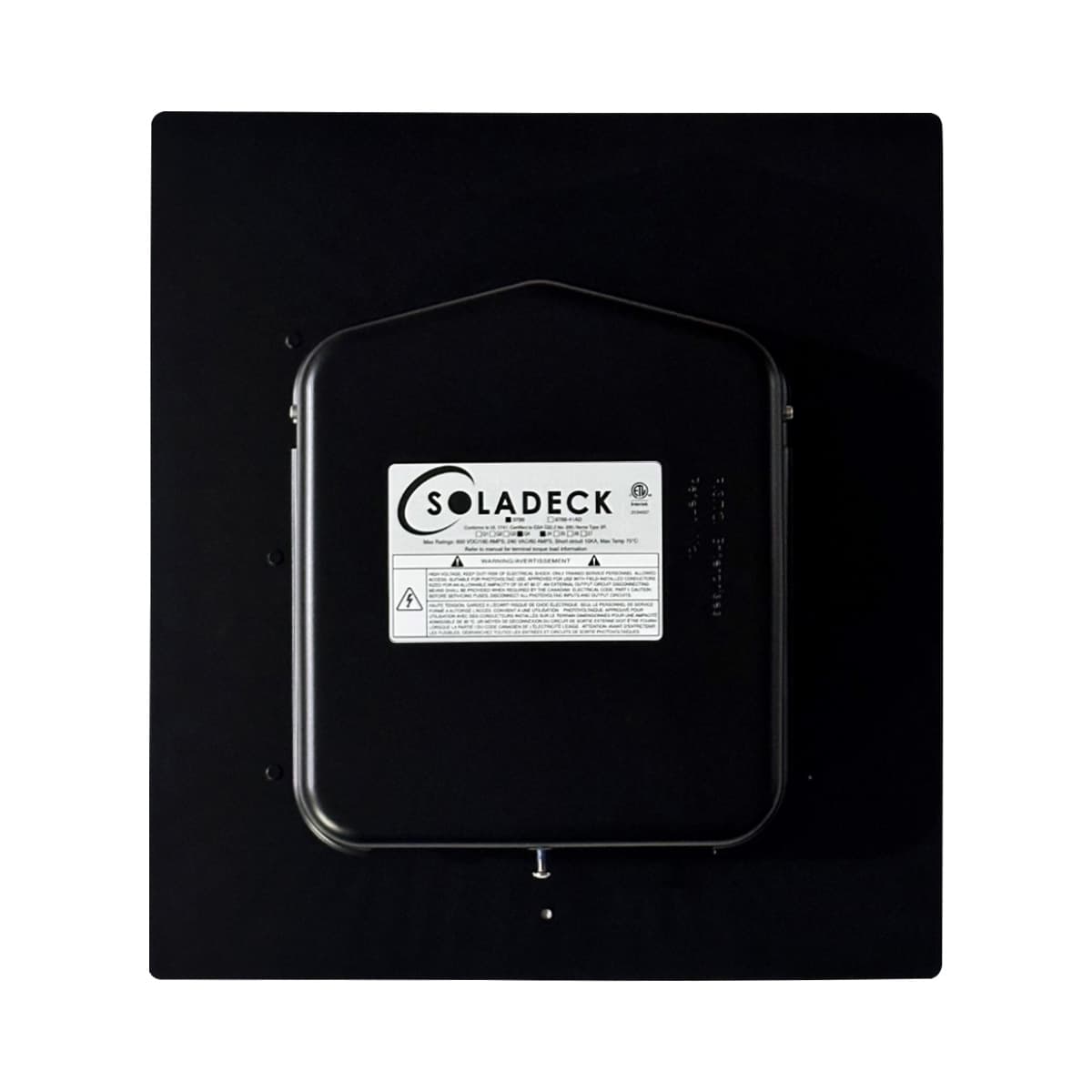
SolaDeck 0999-5B

The SolaDeck 0999-5B is a flashed steel box that mounts into the roof to combine or pass through PV wiring while keeping the penetration weather tight. It is rated to 1000 VDC and handles both AC and DC circuits, and it ships with DIN rail and a ground block so you can land conductors right out of the box. UL 1741 listed and built to NEMA 3R for rooftop duty.

EG4 Ethernet Adapter
EG4

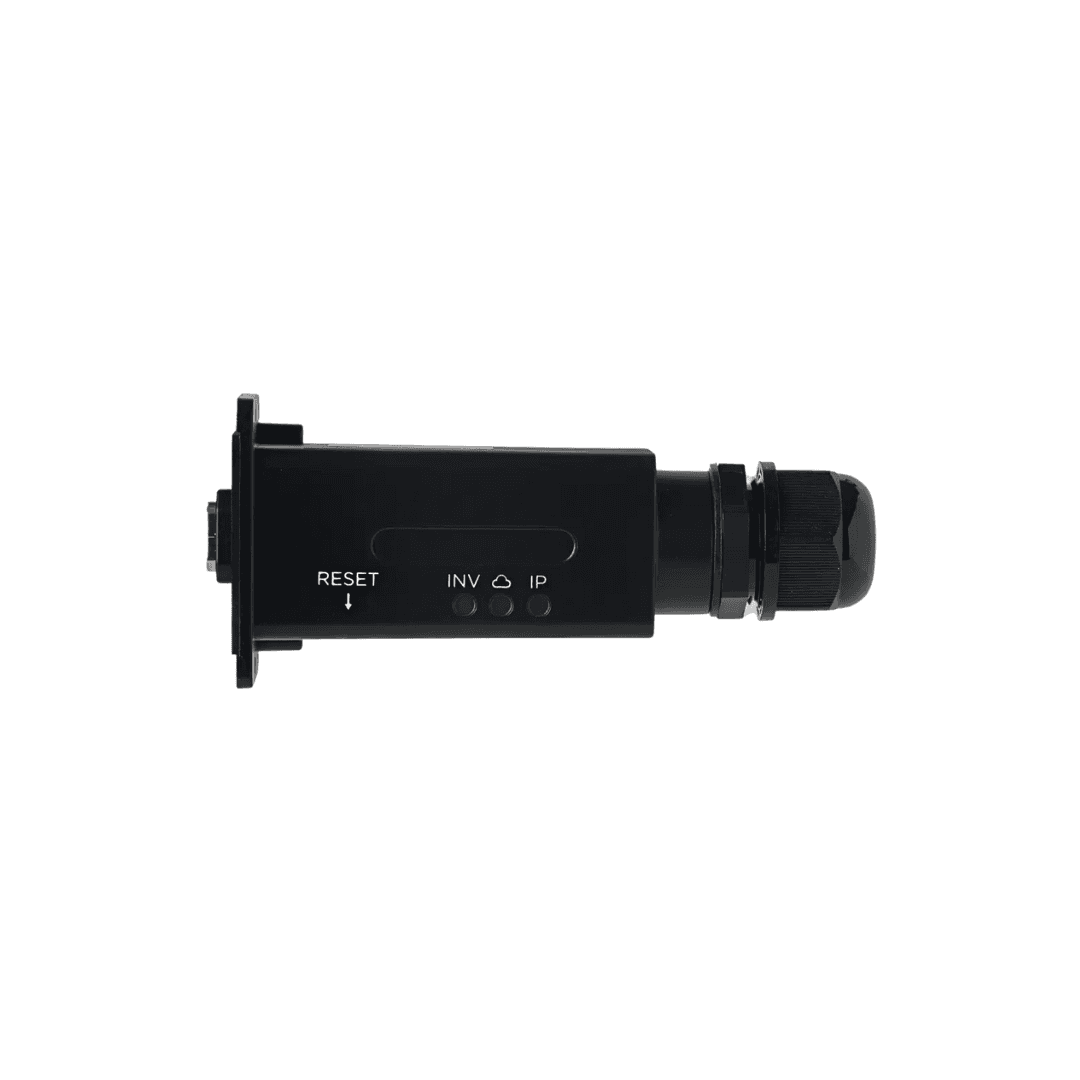
EG4 Ethernet Adapter

This is EG4's wired monitoring adapter (part EG4SP18KDLETH), the small box that carries your inverter's data to the EG4 app over a network cable instead of WiFi. It plugs into the inverter's monitoring port, and a standard RJ45 Ethernet line runs from the cable gland on its body back to your router. Three status lights sit on the face so you can read the connection at a glance: INV for the link to the inverter, a cloud light for the reach out to the EG4 portal, and IP for its network address. There is a reset button, and the unit mounts to the inverter with its built-in faceplate. It works across the EG4 inverter line, the 3k Off-Grid being the exception. The reason to run this over the WiFi dongle is that a cable does not drop. If the inverter lives in a garage, a shop, or a back corner where the WiFi is thin, a wireless adapter that keeps falling offline leaves gaps in your history and an app that shows nothing right when you want a look. Wire it straight to the router and the link stays up, so the numbers keep coming in. If there is a network jack anywhere near the inverter, this is the steadier way to keep eyes on the system.

$33Order-in · ~1 wkView details →
EG4 Indoor Conduit Box Top Plate (100Ah WallMount)
EG4

EG4 Indoor Conduit Box Top Plate (100Ah WallMount)

This is EG4's indoor conduit box for the 100Ah WallMount battery and the 6000XP off-grid inverter. It gives the wiring between the two a clean, enclosed run instead of leaving cable out in the open. The box measures 17.8 inches long, 7.08 inches wide, and 7.9 inches tall, and it ships as a kit with the plates, screws, and parts to put it together (model EG4SP48V100AHIDWMBCNDTBOXV1). The part that earns its keep is the matching knockouts on both the left and right plates, so you can bring conduit in from whichever side lines up with your wall and panel. You build it to fit the install rather than working around one fixed opening. Pair it with the WallMount battery and the 6000XP and the finished wall reads like a real electrical job instead of a pile of loose cable.

$50Order-in · ~1 wkView details →
EG4 PowerLift Pro
EG4

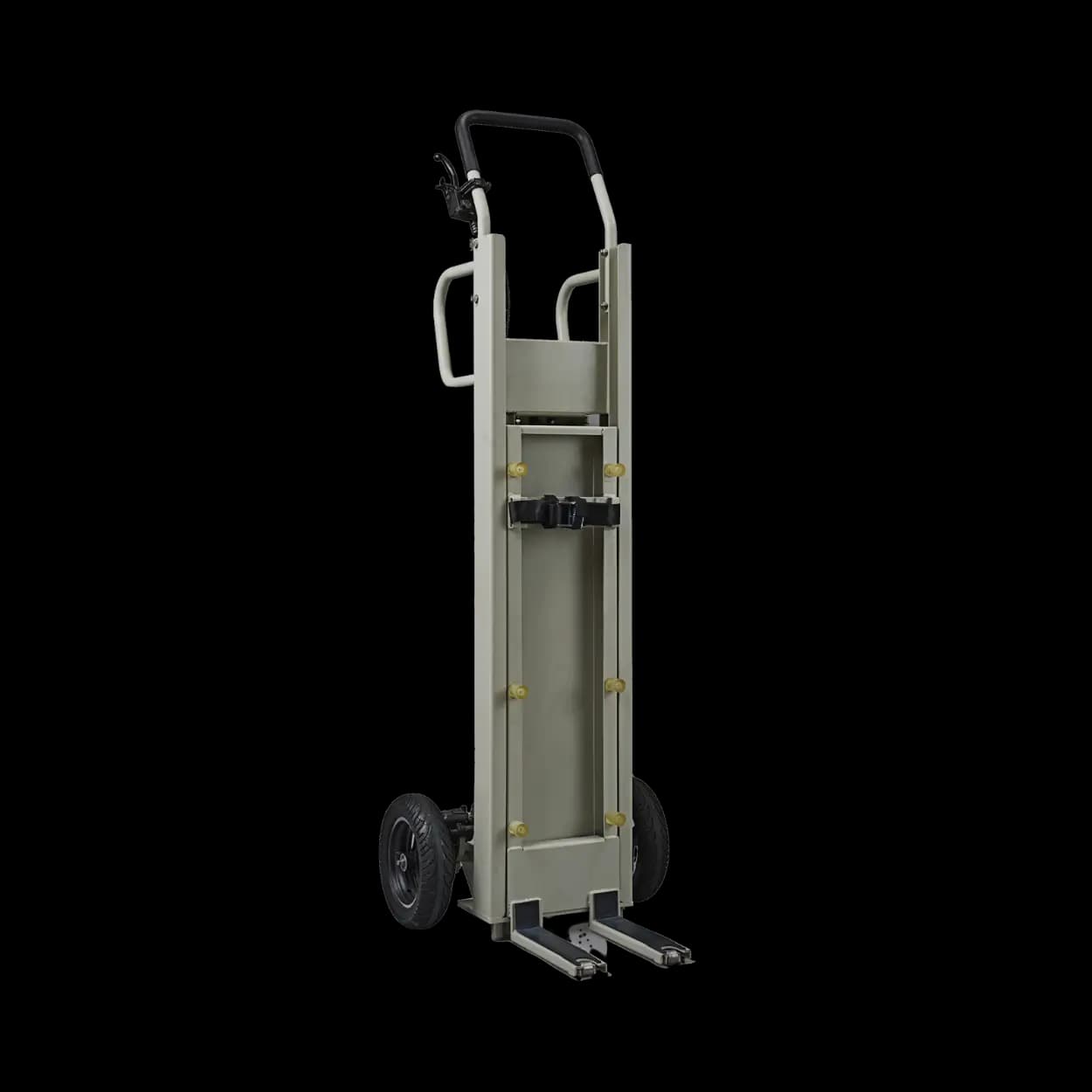
EG4 PowerLift Pro

The EG4 PowerLift Pro is a wheeled lift built for one job: getting a heavy EG4 wall-mount battery or inverter up onto the wall without a second set of hands and a wrenched back. It runs off a standard power drill instead of a hand crank, and it will raise up to 441 pounds (200 kg) to a maximum lift height of 31.9 inches. The unit stands 60 inches tall and 20.2 inches wide, so it fits through a normal doorway and rolls right up to the wall on its own wheels. The drill drive is the part that earns it. A loaded EG4 WallMount battery is a two- or three-person lift by hand, and this lets one installer put a drill on the drive, run the load up to height, and hold it steady while it gets bolted in. That means fewer people tied up on a battery install and a lot less chance of dropping expensive gear or hurting a back. If you set wall-mount batteries with a small crew, it pays for itself the first time nobody has to bear-hug 400 pounds up a wall.

$943Order-in · ~1 wkView details →
EG4 RS232 Firmware Update Cable (LL)
EG4

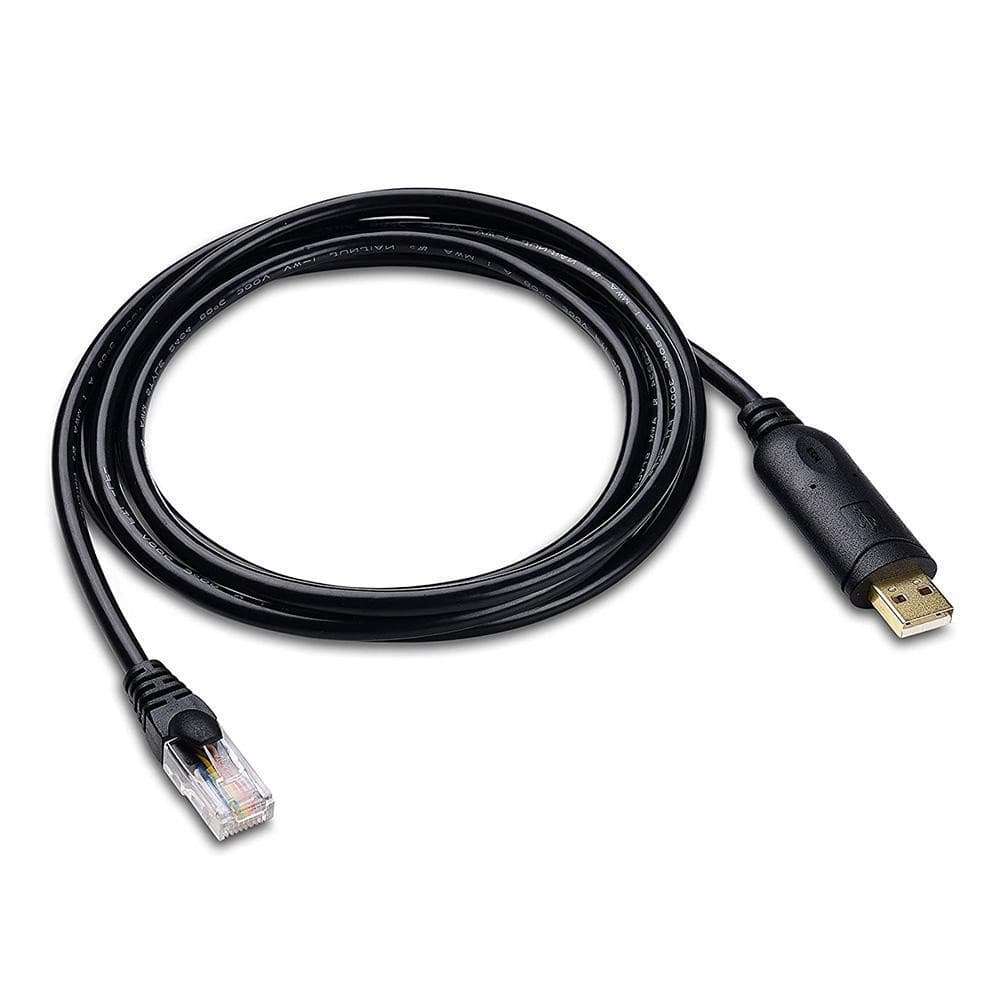
EG4 RS232 Firmware Update Cable (LL)

This is the RS232 firmware update cable EG4 uses to flash new firmware onto its LL lithium batteries, part number EG4UPCA232. It is a two meter run (about 6.5 feet) with a standard USB Type-A plug on the laptop end and an RJ45 (8P8C) plug on the battery end. Inside the USB connector sits an FTDI FT232R serial chip, so a computer sees it as an ordinary COM port. It carries three signal lines, transmit, receive, and ground, on 28 gauge wire, is rated to 300 volts withstanding with 5 megohm minimum insulation, and is RoHS compliant. The reason you keep one in the drawer is firmware. When EG4 releases a battery firmware update to fix a bug or change behavior, this is the specific cable that carries it from a laptop into the battery's RS232 port. It is not a monitoring cable and it is not the RS485 comm cable, it is the one cable meant for loading firmware. If you run EG4 LL batteries, having it on the shelf before you actually need it is cheap insurance at under twenty dollars.

$16Order-in · ~1 wkView details →
EG4 RS485 USB Read/Write Cable (LP4 & LL)
EG4

EG4 RS485 USB Read/Write Cable (LP4 & LL)

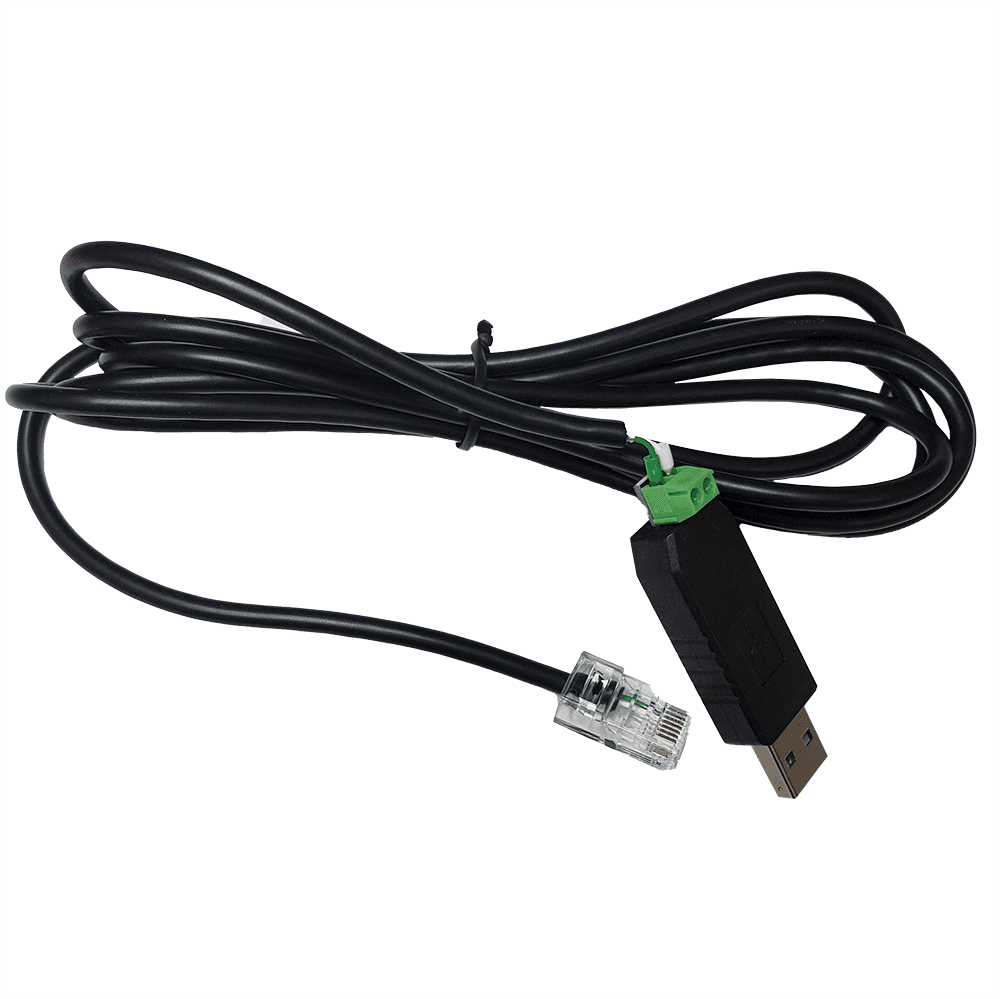
This is EG4's read/write cable, the one that lets a laptop talk to your EG4 battery. USB-A plugs into the computer, the RJ45 end plugs into the battery's communication port, and EG4's free BMS Tools software does the rest. It works with the LifePower4 V2, the LL and LL-S packs, and the WallMount indoor 280Ah and all-weather batteries. Over RS485 it reads the pack live, so you can see state of charge, every cell voltage, current, temperature, and any active alarms. The reason to keep one in the truck is simple. When a pack is acting up, or you just want to confirm it is healthy before an install, this cable is how you look inside the BMS instead of guessing. One thing to know: a battery cannot talk to the PC while it is still wired to an inverter for closed-loop communication, so disconnect the inverter communication cable first, then plug this in and read away.

$20Order-in · ~1 wkView details →
EG4 RS485 USB Read/Write Firmware Update Cable (LP4 & LL)
EG4

EG4 RS485 USB Read/Write Firmware Update Cable (LP4 & LL)

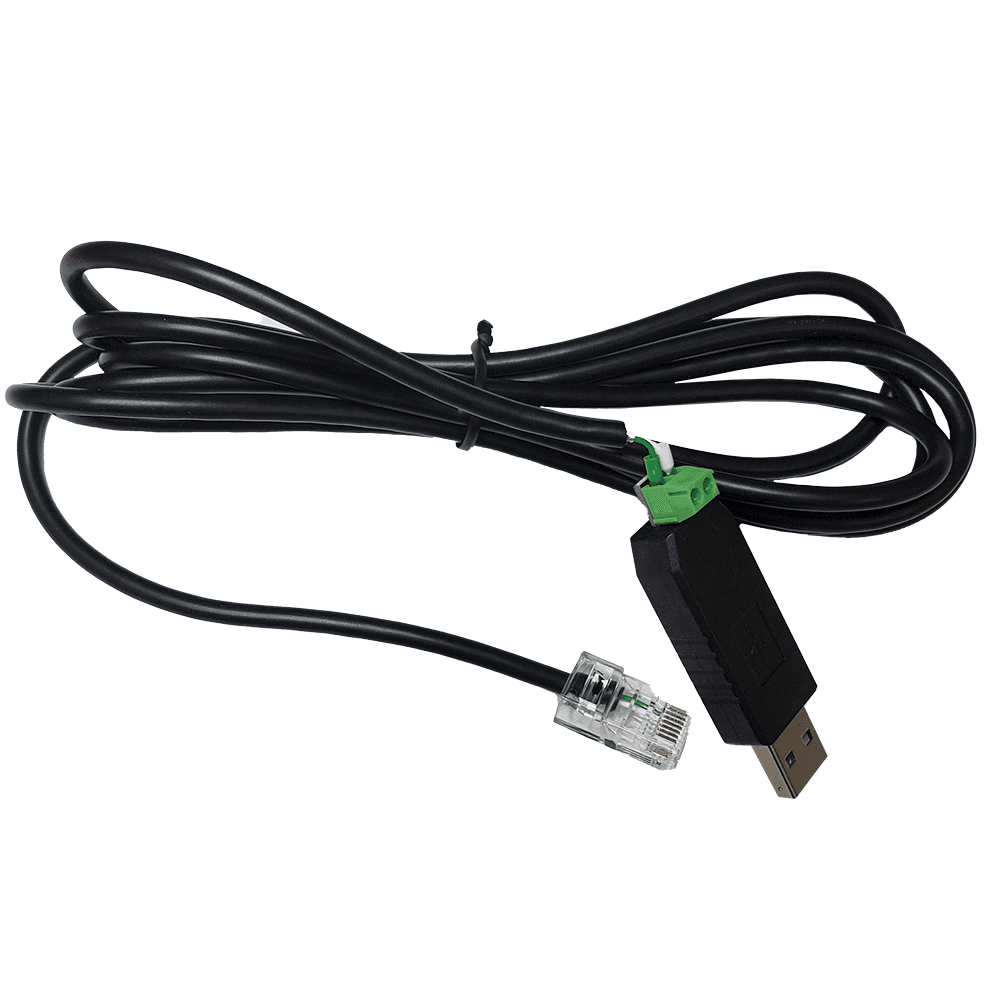
This is the EG4 RS485 read/write cable that connects an EG4 battery to a Windows PC. One end is a standard USB-A, the other is an RJ45 that lands in the battery's RS485 port, and there is a small green pluggable RS485 terminal at the USB dongle. Paired with EG4's BMS Tools software, it lets you read the pack live (state of charge, individual cell voltages, current, temperatures, and alarm status), write and confirm battery settings, and push updates to the LCD display. It works with the LifePower4 V2, the LL V2 and LL-S, and the WallMount Indoor 280Ah and All-Weather 280Ah packs. Keep one on the shelf for pulling real numbers straight off the pack instead of reading them secondhand off the inverter screen, and for setting or checking battery parameters on a commission or a service call. One point on firmware: on these newer packs EG4 flashes the BMS with its separate RS232 cable or the plug-in automatic updater, so treat this RS485 cable as your monitoring and read/write tool, not the firmware flasher. Two cautions carry over: the USB end has its own chip, so a generic RS485-to-USB cable will not stand in for it, and the battery should be off the inverter's communication line while you are connected to the PC.

$16Order-in · ~1 wkView details →
EG4 Update Dongle (LP4)
EG4

EG4 Update Dongle (LP4)

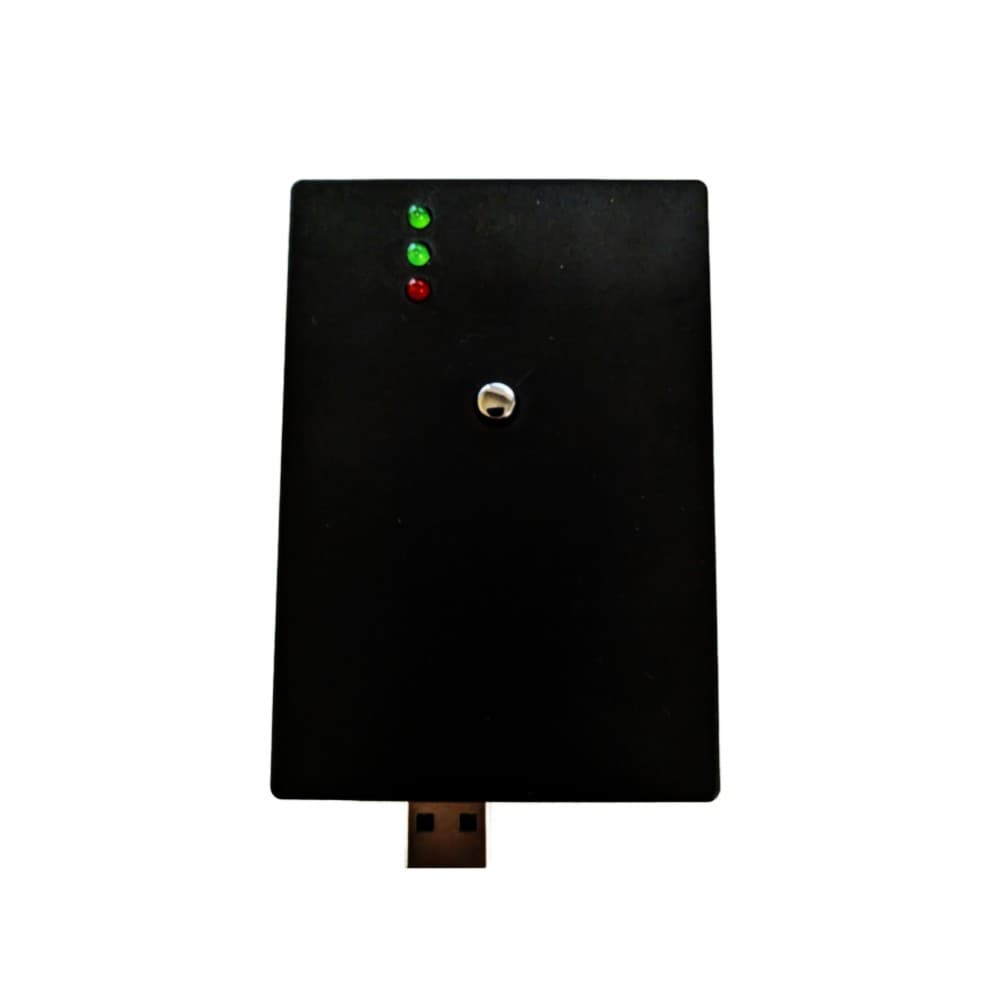
This is the little box that pushes fresh firmware into EG4 LifePower4 48V batteries without a laptop and without fighting BMS software. It works with the Version 1 LifePower4, plugs into the battery's RS485 port with a standard one-foot CAT5 cable, and draws power from any USB source you already own (a power bank, a PC, or a USB charger) through either its USB-C port or its USB-A plug. Three status lights, two green and one red, tell you where the update stands, and a single chrome button on top starts it. The unit ships loaded with firmware v3.37, or v2.19 depending on your battery's hardware. What earns its keep is speed and simplicity. Set the battery's DIP switches to address 0, connect the cable, hold the button about three seconds, and the update runs in roughly 60 seconds per battery. Two things to know going in: it updates one battery at a time, and it carries the firmware version it came with and cannot be reloaded with a newer one later. If EG4 puts out something past v3.37, that update goes through the BMS software and the proper cable instead, so this dongle is the fast, no-computer path to the firmware it holds.

$3Order-in · ~1 wkView details →

Not sure what you need?

Build your system and the builder lists the accessories that pair with it.

Build a System →